
CCTV Cybersecurity in 2026: Complete Guide to Secure Surveillance Systems
Modern CCTV systems are smarter than ever. Today’s IP cameras come with AI analytics, cloud storage, remote viewing, and mobile access. But with these advanced features comes a growing problem — cybersecurity threats.
In 2026, CCTV hacking has become one of the biggest concerns for homes, businesses, warehouses, schools, and smart city projects. Many surveillance systems are connected directly to the internet without proper security, making them easy targets for hackers.
This guide explains the most common CCTV cybersecurity risks and how to protect your surveillance system using practical and professional methods.
Why CCTV Cybersecurity Matters
A hacked CCTV system can lead to:
- Unauthorized camera access
- Video recording theft
- Privacy violations
- System shutdown
- Data leaks
- Ransomware attacks
- Network breaches
Hackers often target surveillance systems because many installers and users ignore basic network security settings.
Common CCTV Cybersecurity Threats in 2026
1. Weak Passwords
Many users still use default passwords like:
- admin/admin
- 12345,00000
- password
Hackers can easily access cameras using automated scanning tools.
Solution
Always:
- Change default passwords
- Use strong passwords
- Enable two-factor authentication if available
Example of a strong password:
CCTV@2026Secure#
2. Open Ports on Router
Many CCTV systems use port forwarding for remote viewing. Open ports expose cameras directly to the internet.
Dangerous Ports
- HTTP: 80
- RTSP: 554
- Server ports
Better Solution
Use:
- VPN access
- P2P secure cloud access
- Firewall filtering
Avoid exposing cameras directly to public internet whenever possible.
3. Outdated Firmware
Old firmware contains security vulnerabilities.
Manufacturers regularly release updates to fix:
- Security bugs
- Remote access vulnerabilities
- Malware risks
Best Practice
- Update firmware every few months
- Download firmware only from official manufacturer websites
- Backup settings before upgrading
4. No VLAN Separation

One of the best security practices in 2026 is using VLANs.
What is VLAN (Read more on VLAN)
A VLAN (Virtual Local Area Network) separates CCTV traffic from office computers and public networks.
Example
| Device | VLAN |
|---|---|
| CCTV Cameras | VLAN 10 |
| Office Computers | VLAN 20 |
| Guest WiFi | VLAN 30 |
Benefits
- Prevents hackers from accessing business systems through cameras
- Reduces network congestion
- Improves surveillance security
Managed switches from companies like D-Link and TP-Link support VLAN configuration.
5. Unsafe Remote Viewing Apps
Some low-quality mobile apps collect user data or have poor encryption.
Best Practices
- Use official apps only
- Enable encrypted connections
- Avoid public WiFi for remote viewing
- Regularly update mobile applications
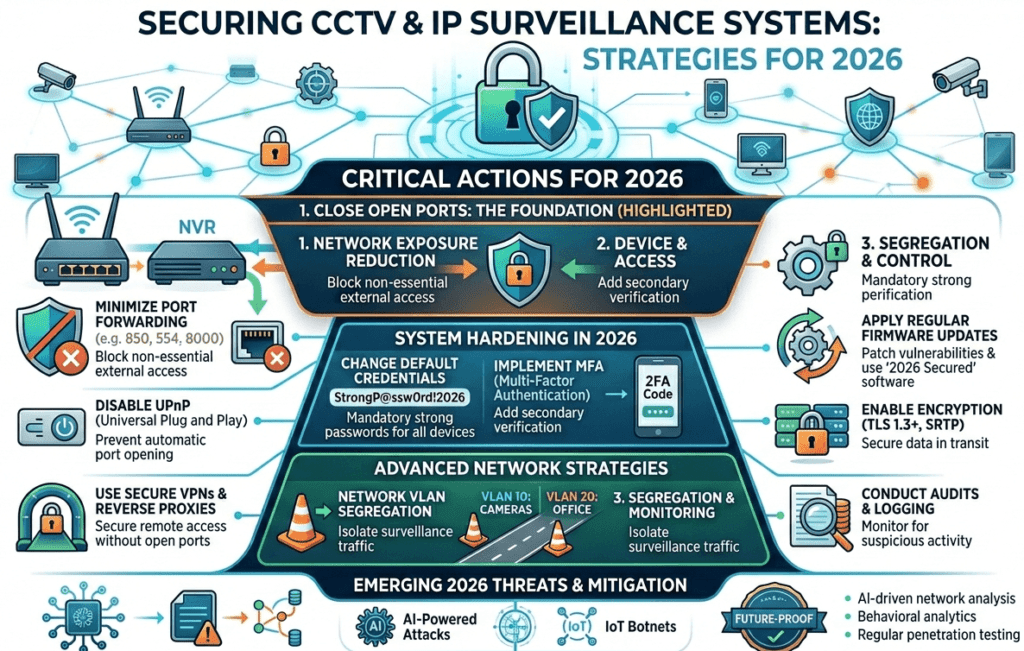
Best CCTV Cybersecurity Practices in 2026
Use Strong Network Security
Recommended:
- Firewall protection
- VLAN segmentation
- VPN remote access
- HTTPS encryption
Change Default Settings
Always:
- Rename devices
- Disable unused services
- Change default ports if necessary
Limit User Permissions
Create different user accounts:
- Admin
- Operator
- Viewer
Do not share admin access with all users.
Monitor System Logs
Modern NVR systems can detect:
- Failed login attempts
- Unknown devices
- Suspicious activities
Regular monitoring helps detect attacks early.
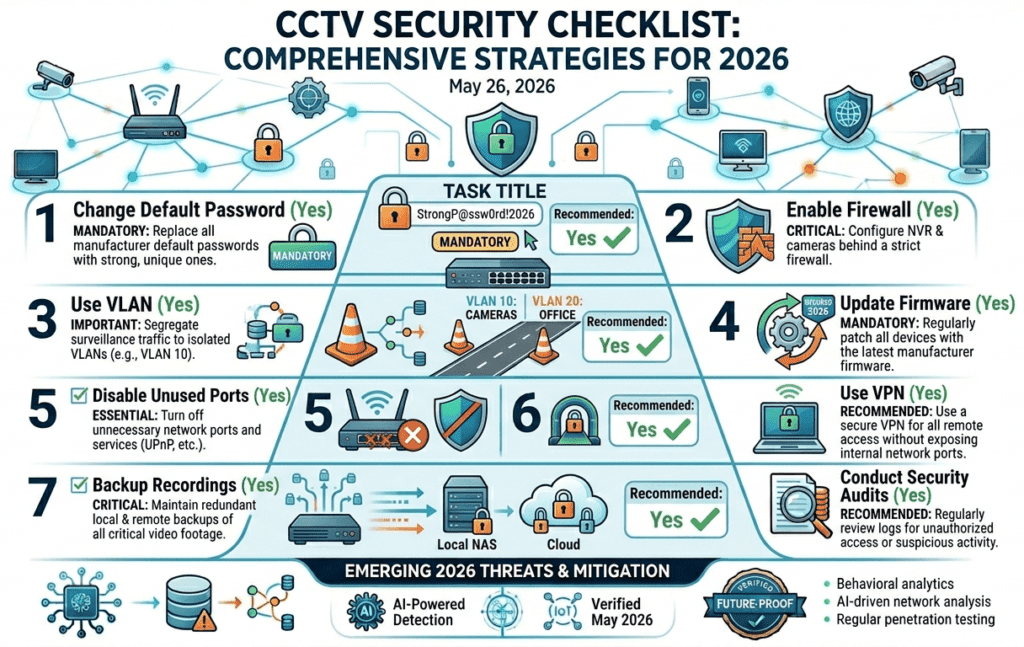
CCTV Security Checklist
| Security Task | Recommended |
|---|---|
| Change default password | Yes |
| Enable firewall | Yes |
| Use VLAN | Yes |
| Update firmware | Yes |
| Disable unused ports | Yes |
| Use VPN | Yes |
| Backup recordings | Yes |
Future of CCTV Cybersecurity
Future surveillance systems will include:
- AI-based threat detection
- Zero-trust network architecture
- Encrypted cloud recording
- Advanced biometric authentication
- Cybersecurity monitoring dashboards
As CCTV systems become smarter, cybersecurity will become even more important.
Final Thoughts
CCTV systems are no longer simple recording devices. They are now connected network systems that require proper cybersecurity protection.
A secure surveillance network protects not only video recordings but also the entire business infrastructure. Whether you manage a small office or a large smart city project, following proper cybersecurity practices is essential in 2026.
Step-by-Step Hardening Checklist for Cameras and NVRs
The practices above work best when they are done in a fixed order during commissioning, before the system is handed over. The checklist below is the order many integrators follow on site. Menu names differ between brands, so treat it as a sequence of tasks rather than exact menu paths, and follow the manufacturer's own hardening guide where one is published.
Before the device goes on the live network
- Update the firmware first. Install the latest stable firmware from the manufacturer's website on every camera and recorder while they are still on the bench or an isolated switch.
- Activate with a unique admin password. Use a different password per site and store it in a password manager, not in a spreadsheet on the guard PC.
- Set the time source. Point every device at the same NTP server and set the correct time zone, so logs and recordings line up when you need them as evidence.
- Give it a static IP in the CCTV VLAN. Record the address, MAC address and serial number in the handover sheet.
Turn off what you do not use
- Disable UPnP on cameras and recorders so they cannot open ports on the router by themselves.
- Disable the manufacturer's P2P or cloud service if remote viewing will go through a VPN.
- Disable Telnet, SSH, FTP, SNMP v1/v2 and multicast discovery unless the project needs them.
- Prefer HTTPS for the web interface and disable plain HTTP where the device allows it.
Accounts and logging
- Create separate accounts for operators and viewers with only the rights they need, and a separate ONVIF account for the VMS.
- Enable login lock-out after repeated failed attempts.
- Where supported, send logs to a central syslog server or the VMS so a deleted local log does not hide an attack.
Design Example: A 64-Camera Warehouse
Consider a warehouse with 64 IP cameras, two NVRs, a VMS client in the guard room and a requirement for the security manager to view cameras from home.
| Zone | What sits there | Rule |
|---|---|---|
| CCTV VLAN | Cameras, NVRs | No internet access. Cameras may talk only to the NVRs and the NTP server. |
| Security management VLAN | VMS client, admin laptop port | May reach the NVRs on the ports the VMS uses. No access to the office network. |
| Office VLAN | Staff PCs, printers | No route to the CCTV VLAN. |
| Remote access | VPN on the site firewall | Security manager connects by VPN with multi-factor authentication. No port forwarding to any camera or NVR. |
With this layout, an infected office PC cannot scan the cameras, a compromised camera cannot reach the internet to call home, and remote viewing never exposes the NVR login page to the public internet. Switch ports in public areas can be secured further with port security or 802.1X where the switches support it.
Handover and Ongoing Maintenance
Security does not end at commissioning. Hand the client a short document with the device list, IP plan, firmware versions, account list (without passwords) and who is responsible for updates. Agree a review interval, for example every quarter, to check for new firmware, remove accounts of people who have left, and look at failed login reports. When a device is replaced or sent for repair, reset it to factory defaults and remove its user accounts first.
Common Mistakes Seen on Site
- Leaving the installer's temporary password on every device after handover.
- Port forwarding the NVR "just for testing" and never closing it.
- Connecting the NVR's second network port to the office LAN, which bridges the CCTV VLAN to it.
- Allowing cameras unrestricted internet access when they only need to reach the recorder.
- Updating firmware once at installation and never again.
Frequently Asked Questions
Is the manufacturer's P2P cloud service safe to use?
It avoids port forwarding, which is an improvement, but it relies on the manufacturer's servers and account security. For business sites, a VPN to the site firewall gives you more control. If you do use P2P, enable two-factor authentication on the account and keep the app updated.
Is changing the default port enough to stop attacks?
No. Automated scanners check many ports, so a non-standard port only reduces noise in the logs. It does not replace a VPN, strong passwords and current firmware.
Do cameras need internet access?
Usually not. Cameras need to reach the recorder or VMS and a time server. Blocking their internet access at the firewall is one of the most effective controls you can add.
How often should firmware be updated?
Check for updates on a regular schedule, for example every quarter, and act sooner when the manufacturer publishes a security advisory for your model. Test the update on one device before rolling it out to all of them.
To plan the VLANs and addressing for a project like the example above, try the free IP Subnet & VLAN Planner and the Network & CCTV Designer.