
ELV & ICT engineering · KSA & GCC
Free design tools and field guides for ELV & ICT engineers
Size CCTV storage, lay out fire alarm loops, plan VLANs and design access control in your browser. Free to use. Built by a working ELV engineer.
- Popular:
- 27free tools
- 86technical guides
- 4systems
- Learning paths →

Techubox in your pocket
All Techubox guides and tools, on your Android phone. Works on Android 7.0 and newer.
 Scan to install
Most used
All tools →Free engineering tools
Tools page →27 calculators and designers, grouped by system. Free to use in your browser. Sign in for watermark-free exports.
CCTV & Video
7 toolsSize storage, choose lenses, check thermal ranges and lay out cameras on plans and maps.
Fire Alarm & Life Safety
7 toolsAddressable and conventional fire alarm, PA/VA, standby batteries and evacuation plans.
Network & Cabling
11 toolsIP plans and VLANs, PoE budgets, fibre loss, racks, structured cabling and Wi-Fi links.
Access Control & Smart Systems
2 toolsDoors, readers, locks and controllers, plus low-voltage power checks for the field devices.
No tool matches “”. Browse all tools or search the guides.
 Access ControlHow to Install a Door Access Control System
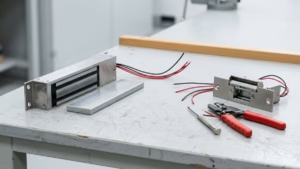 Access ControlMaglock vs Electric Strike: Differences, Wiring and Selection
 Fire DetectionFire Alarm Course: Zero to Hero Study Guide (2026 Edition)
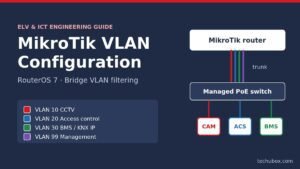 Fiber NetworksMikroTik VLAN Configuration for CCTV, Access Control and BMS (RouterOS 7, Bridge VLAN Filtering) — Step by Step
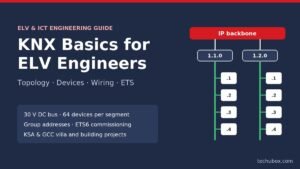 Smart SystemsKNX Basics for ELV Engineers: Topology, Devices, Wiring and Commissioning (ETS)
 Smart CCTVIP Camera Not Showing on NVR: 12 Proven Fixes
Written and tested by Sarwar Islam
ELV & ICT engineer serving KSA & GCC, with project experience across Saudi Arabia and Africa, delivering CCTV, fire alarm, PA/VA, access control and network systems. Every tool and guide here comes from site work, not datasheets.
- Free to use in your browser
- BS 5839-1 / NFPA 72, TIA-568, IEC 62676-4 references
- Check final designs with the manufacturer
Learning paths
Free step-by-step courses from a working ELV engineer. Follow a path in order, practise with the tools, and track your progress.